
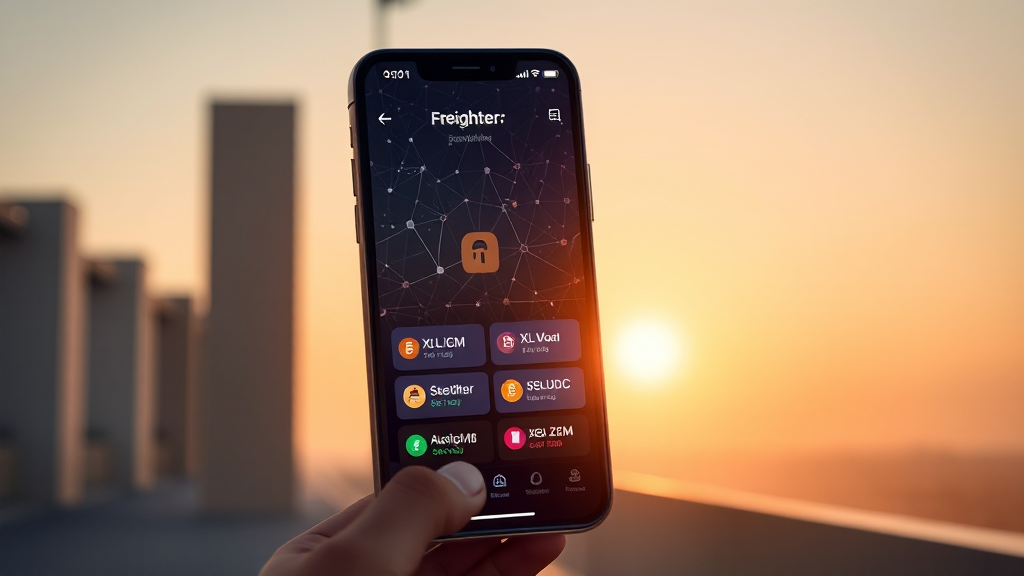
Freighter Wallet: The Essential Tool for Navigating the Stellar Ecosystem
The Stellar network has carved out a unique space in the blockchain world, focusing on fast, low-cost cross-border payments and asset tokenization. To interact with this vibrant ecosystem, users need a reliable, secure, and user-friendly gateway. Enter the freighter wallet, a non-custodial browser and mobile wallet designed specifically for Stellar. Whether you are a seasoned crypto enthusiast or just beginning to explore digital assets, Freighter provides a seamless bridge between you and the decentralized applications (dApps) built on Stellar.
Unlike some wallets that require complicated setup processes or constant synchronization, Freighter is built for immediate utility. It functions as both a secure storage solution for your Stellar assets and a key to unlock the world of Stellar-based applications. In this article, we will dive deep into what makes Freighter stand out, how it works, and why it is becoming the go-to choice for Stellar users. We will explore its core features, security model, and its role in the broader context of the Stellar ecosystem, all while illustrating why it deserves a spot in your digital toolkit.
Understanding Freighter: A Non-Custodial Stellar Wallet
At its core, Freighter is a non-custodial wallet, which means that you, and only you, have control over your private keys and funds. This is a fundamental principle for many in the cryptocurrency space, as it aligns with the ethos of decentralization and personal sovereignty. When you use the freighter wallet app, you are not entrusting your assets to a third party; instead, you are using a tool that helps you manage your keys securely while interacting with the Stellar network.
Freighter is available as a browser extension for Chrome, Brave, Firefox, and Edge, as well as a mobile app for iOS and Android. This cross-platform availability ensures that you can access your Stellar assets from virtually anywhere. The wallet supports the native Stellar token (XLM) and any other asset issued on the network, including popular stablecoins like USDC. This makes it a versatile choice for those who need to hold, send, or receive a variety of digital assets without leaving the Stellar ecosystem.
How Freighter Integrates with Stellar Apps
One of the most compelling reasons to use Freighter is its deep integration with the Stellar ecosystem. The wallet acts as a bridge, allowing you to connect to a wide range of Stellar-based applications directly from your browser. This includes decentralized exchanges (DEXs), lending protocols, NFT marketplaces, and payment platforms. Instead of having to create separate accounts for each service, you can use your Freighter wallet as a single sign-on for the entire Stellar universe.
The process is straightforward: when you visit a Stellar app that supports Freighter, you simply click “Connect Wallet” and approve the connection through the extension or mobile app. This interaction is facilitated by a secure protocol that ensures your private keys never leave your device. The app can only see your public address and request transaction signatures, which you can approve or reject. This design minimizes the risk of phishing or unauthorized access, as you are always in control of what gets signed.
Sending and Receiving Assets with Freighter
At its heart, a wallet must make sending and receiving assets simple and intuitive. Freighter excels in this area. The wallet interface displays your portfolio in a clear, easy-to-read format, showing your balances of XLM, USDC, and any other Stellar assets you hold. To send funds, you simply enter the recipient’s public address, specify the amount and asset, and confirm the transaction. Freighter will automatically calculate the network fee (in XLM) and show you a preview before you sign.
Receiving funds is equally straightforward. You can share your public address as a QR code or copy it to your clipboard. Because Stellar is known for its low transaction fees and fast settlement times, you can expect your transfers to complete in a matter of seconds, regardless of the amount. This speed and efficiency make Freighter an excellent choice for everyday payments and microtransactions, which are often impractical on more congested networks.
Security and Recovery: Keeping Your Assets Safe
Security is paramount in the world of cryptocurrency, and Freighter takes this seriously. As a non-custodial wallet, it uses industry-standard encryption to protect your private keys. When you first set up Freighter, you will be given a 12-word mnemonic phrase (also known as a recovery phrase). This phrase is the only way to restore your wallet if you lose access to your device or forget your password. It is crucial to write down this phrase and store it in a safe, offline location. Never share it with anyone, as anyone with access to this phrase can control your funds.
Freighter also offers a password protection feature, which adds an extra layer of security for users who may leave their devices unattended. The wallet does not store your password or recovery phrase on its servers; all data is stored locally on your device. This means that even if Freighter’s servers were compromised, your funds would remain safe. Additionally, Freighter is an open-source project, which means that its code is publicly available for security audits. This transparency allows the community to identify and address potential vulnerabilities proactively.
The Future of Freighter and Stellar
The Stellar network is continuously evolving, with new projects and use cases emerging regularly. As the ecosystem grows, the need for a robust, user-friendly wallet like Freighter will only increase. The team behind Freighter is actively working on expanding its features, including support for more Stellar-based tokens and enhanced integration with hardware wallets for added security. They are also exploring ways to make the wallet even more accessible to newcomers, with a focus on improving the onboarding experience.
Looking ahead, Freighter is poised to become an even more integral part of the Stellar experience. Whether you are using it to hold XLM, trade on a decentralized exchange, or pay for goods and services with USDC, Freighter offers a secure and convenient way to interact with the network. Its commitment to decentralization and user empowerment aligns perfectly with the values of the Stellar community.
Getting Started with Freighter: A Step-by-Step Guide
If you are ready to take control of your Stellar assets, getting started with Freighter is a breeze. First, visit the official Freighter website and download the extension for your preferred browser or the mobile app from your app store. After installation, you will be prompted to create a new wallet or import an existing one using your recovery phrase. For new users, the process involves generating a wallet, setting a password, and securely backing up your recovery phrase. Freighter will guide you through this process with clear instructions.
Once your wallet is set up, you can immediately begin sending and receiving assets. To receive XLM or USDC, simply share your public address. To send, enter the recipient’s address and confirm the transaction. You can also explore the “Discover” tab within the wallet to find Stellar apps that you can connect to. This built-in directory is a great way to find new services and tools that integrate with Freighter.
Frequently Asked Questions
Is Freighter wallet safe to use?
Yes, Freighter is considered safe because it is non-custodial and open-source. Your private keys are stored locally on your device and are protected by a password. The code is publicly auditable, and the wallet has been reviewed by the Stellar community. However, you must take proper precautions, such as backing up your recovery phrase and keeping your device malware-free.
Can I use Freighter to store assets other than XLM?
Absolutely. Freighter supports any asset issued on the Stellar network, including USDC, and other tokens. You can add custom assets by using the “Add Asset” function, which requires the asset code and the issuer’s public key. This flexibility makes Freighter a comprehensive solution for all Stellar-based assets.
How do I connect Freighter to a Stellar app?
To connect Freighter to a Stellar app, simply navigate to the app’s website and look for a “Connect Wallet” button. Click it and select Freighter from the list of supported wallets. A pop-up will appear in your browser extension asking for permission to connect. Approve it, and you will be connected. The app will only have access to your public address and will request your signature for transactions.
What happens if I lose my phone or computer?
If you lose your device, you can recover your wallet using your 12-word recovery phrase. Install Freighter on a new device, select “Import Wallet,” and enter your recovery phrase. This will restore your wallet and all its assets. As long as you have your recovery phrase, you will never lose access to your funds.
Does Freighter charge any fees for transactions?
Freighter itself does not charge any fees for sending or receiving assets. However, the Stellar network charges a minimal transaction fee (currently around 0.00001 XLM) to prevent spam. This fee is negligible and is automatically deducted from your XLM balance when you make a transaction.
In conclusion, the freighter wallet is more than just a place to store your crypto; it is a powerful tool that connects you to the entire Stellar ecosystem. Its non-custodial nature, combined with its ease of use and security, makes it an excellent choice for both beginners and experienced users. As the Stellar network continues to expand, Freighter will remain a cornerstone for those looking to participate in this innovative blockchain. Download it today and see for yourself why it is the preferred wallet for Stellar enthusiasts worldwide.
Leave a Reply